Chris Palmer's Avoidance Central: Trips, Google Earth, and a GPS
Trips, Google Earth, and a GPS
A few months ago I went to southern California on a business trip, but I stayed over a day or two to sightsee. I was staying in Santa Ana, near the HUD office where I had meetings, but I wanted to see as much of the coast as possible and see Los Angeles, Hollywood, Beverly Hills, and all of those other places I'd never been.I brought my GPS along so that (a) I wouldn't get lost (I hoped), (b) I might do some geocaching, and (c) to experiment with storing my track logs to see remember everywhere I went. I didn't always have good reception and I didn't always remember to turn it on, but I managed to get a pretty good record of everywhere that I drove, which was about 500 miles in the four or five days I was there. Once I got back, I uploaded the GPS tracks into Google Earth so I could visualize them. One of the coolest tricks that Google Earth does is to let you "fly" along the tracks at any speed and altitude that you wish, so I can virtually recreate each drive over 3D scenery overlayed with satellite photos. This would have been great to do real time while I was there, because I was extremely frustrated to find that I had missed wonderful things that I drove right by or were just a few blocks away from. This first shot shows an overview with all the tracks for the week. You can click on it to see a larger version:The intense area in the middle around Santa Ana and Anaheim is where my hotel was. In this closeup, you can even see every parking space that I parked in. The lines off the parking lot was where I was looking for a geocache.Where this really shines is when you combine it with Google Earth's 3D views. Here is a shot where I turned inland from the coast after driving through Malibu and went through the canyons. I eventually wound up on Ventura Blvd, then Mulholland Drive.This next shot shows how the Google Earth community's tags of local areas combines with the GPS data. As I said above, it would be great to have this info while you're driving. I had no idea I was driving by Pamela Anderson's house. It is cool for analyzing the area you were in, but it does lead to a lot of regrets. Oh well, next time I'll research more rather than driving semi-randomly...After my Hollywood sign adventure (see a previous blog entry), I didn't want to backtrack the way I came, so I blindly drove through a residential area and wound up on the most insanely twisted road I have ever driven down. Hairpin curves, barely one lane, with expensive cars parked right on the road. If you do the "follow track" animation on Google Earth, this one will make you dizzy. Driving it was even worse. I eventually made my way down the mountain back into Hollywood.The GeoBloggers site is down right now, but another neat trick is that you can upload your photographs to Flickr, then geotag them with the latitude and longitude where they were taken and they will appear as little thumbnails on Google Earth. When you combine this with the tracklogs and the EXIF data from the photographs, you can recreate your entire trip - when you drove where, where and when you stopped to take pictures, and what it looked like when you were there. I'm looking forward to trying this again the next trip I go on.For example, here is a photo that I took while driving the canyons illustrated above. When the Flickr geoblogging link is working, I can see the exact spot where the photo was taken. You can do this by comparing the EXIF data to see when the photo was taken and compare it to the tracklog data, or you can cheat like I did and find the little spot on the track where I stopped at a pull-off to take the picture.Oh yeah, with all of this neat technology, I was 0 for 3 for the geocaches I looked for my last day...
posted by Chris 3:07 PM
2 Comments:
Jodi said...
Very cool. If my brain was not so mushy right now, I'd maybe understand/try to understand/try out what you wrote about. I'm done though and will have to revisit this entry in a few days!P.S. Merry Merry to you and your family!
12:12 AM, December 23, 2005
Joe LaPenna said...
That's pretty slick. I did something like that but with Google Earth.http://joelapenna.com/blog/2005/12/toronto-trip-map.htmlI didn't even think to try it out with Google Earth. I'm going to have to, now though! Good job!
7:08 AM, December 23, 2005
Post a Comment
<<>
skip to main |
skip to sidebar

A Sextant --- solid brass navigation technology ... from 200 years ago !
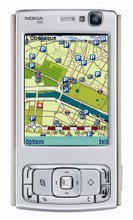
The 2007 << Dream Machine >>
no doubts .. the ultimate smart phone in 2007
where it's at in 2007



... but it didn't catch on

... if you don't know where you've been - BUT - how did you GET here ?!?!
Our focus is on Location Based Services ( LBS ) which answer "Where am I? Where is it? How do I get there?" ... & Location Aware Devices (LADs) such as 3G smartphones, mobiles, cellfones, PDAs and personal wireless platforms. LADs will soon be everywhere [i.e. ubiquitous = DoCoMo]. This blog will stay on top of all things that will help us .... keep on track ... and show us where it's at


GPS SATNAV LBS "Personal Navigation Device"
A Sextant --- solid brass navigation technology ... from 200 years ago !
NOKIA N95
The 2007 << Dream Machine >>
OUR LOCAL TIME ( +10 hrs on Zulu)
Hobart |
NOKIA 95
no doubts .. the ultimate smart phone in 2007
SUBSCRIBE TO THE RSS FEED HERE


YOU'RE SEARCHING FOR WHAT
NOKIA N95
where it's at in 2007
The UBIKWITUS SWICKI
where do you come from ?
Blog Archive
-
▼
2006
(2445)
-
▼
January
(391)
- Billion Dollar Market for On-Device Portals London...
- Mobiles covet Google success - Newspaper Edition -...
- TeleAtlas to offer 3D Maps of Major Cities | GPS L...
- jeepx: GPS Discoveries: Cold Start and Aided GPSIm...
- jeepx: GPS Discoveries: A Map for your BlogFeedMap...
- WCDMA/EDGE devices number 31Dozens of manufacture...
- InformationWeek | Cell-Phone Services | 'Point And...
- thinkd2c" Verizon Wireless Introduces VZ Navigator...
- Mobile Monday - Location Based Services The Februa...
- jeepx: GPS Discoveries: GeoVector: Point & ShopGeo...
- My Personal Geekzone BlogrollA few months back I'v...
- GlobalSat BC-337 Compact Flash GPS Receiver Review...
- Road Test of the GlobalSat BC-337 and BT-338 SiRFs...
- Verizon Launches the Motorola V325 With Location B...
- European Geo-PortalINSPIRE (Infrastructure for Spa...
- GeoURL (2.0)GeoURL is a location-to-URL reverse di...
- Home - ConfluenceGeotools is an open source Java G...
- The JUMP ProjectThe foundation of The JUMP-Project...
- ArcWeb Explorer: Quick ReviewA few sites report th...
- Portable tourist guides now in serviceYour iPod mi...
- GeoVector and Japan’s Mapion Deliver the First Poi...
- Location Based Marketing - Could it Really Work? P...
- 'We're not a one-trick pony'No longer just a sea...
- Sharing and Sending Web Content and More Via SMSI'...
- Phone start-up takes on GoogleSimon HayesJANUARY 3...
- gps tracklog: Pros and Cons of PDA-based GPS Recei...
- Google Maps Mania: Google Maps Creation Tools and ...
- WorldTracker SMS - Small GPS Tracking | GPS Lodge....
- Google Maps Mania: Google Maps news and blog post ...
- With LBS, It's All About "Getting to Free"Today, I...
- Location-Based Services Offer High Revenue Potenti...
- Going to Market with Location Services | January...
- Going to Market with Location Services | January...
- Chapter 3. Sources of Inaccuracy: The ProblemsIn o...
- WorldChanging: Another World Is Here: What's Next ...
- ArcWeb Services | ArcWeb ExplorerArcWeb Explorer i...
- O'Reilly: "Google Maps is the new open source."At ...
- Serious Web Map Application, or Mere Mashup - Sema...
- Smartphones Know Ups And Downsrosoft and Linux lea...
- Navicore adds dynamic navigation Navicore announce...
- Desire To Personalize Smartphones Expected To Dri...
- Desire To Personalize Smartphones Expected To Driv...
- The Best in Mobile, 2005 at MobHappy Followin...
- ContentSutra :: "Customise The Content To Develop ...
- The secret to rapid realization of applications an...
- Symbian OS mobile smartphone operating system - Ne...
- Worldwide Hot-Spot List Tops 100,000 Mark January...
- U.S.-European GPS Rivalry Heats Up January 24, 20...
- WCDMA Subscribers 3G Finally Gaining Momentum: Re...
- Opera Mini� for MobileOpera Mini™ is a fast and ea...
- gps tracklog: Using GIS Data with GPSThere is a we...
- Opera Software announces worldwide release of Oper...
- Dell To Integrate Vodafone 3G to Laptops: "Dell wi...
- Next-Generation GPS Capabilities to be AnnouncedU....
- InFocus: All about locationImagine that you are dr...
- Intrado, Networks In Motion In Marketing AllianceL...
- Yahoo! gives up quest for search dominanceEnvironm...
- WiMAX Getting Real, but What About 802.20? : "WiMA...
- With RemoMail, Use Your Mobile Phone as a Powerful...
- DDH Software Launches its Acclaimed HanDBase Relat...
- The Web on Virtually any Phone: Opera Software Ann...
- Intrado and Networks in Motion Announce Strategic ...
- Mobile Firm Builds Ad Management Suite for Publish...
- The Brave New World of WirelessThe Brave New World...
- And now, NewsWe're taking Google News out of beta!...
- New year, new imageryWe're always trying to improv...
- ContentSutra :: "Customise The Content To Develop ...
- PostcodeinePostcodeine← start typing any postcode ...
- IMS Insider Blog: Top 10 Predictions for the Telco...
- Psiloc Mobile Solutions Psiloc is the global leadi...
- Screen Capture for Cell PhonesWhen you write news ...
- "Location Based Services and all about Mobile Mark...
- China approves TD-SCDMA standardBy Joni MorseJan 2...
- Competitive Analysis of Sony Ericsson MobileIndia ...
- Plazes is a grassroot approach to location-aware i...
- Do You Think Operators Really Care About Your Priv...
- plazes.betaPlazes is a grassroot approach to locat...
- Email Is For Old PeopleThe changes may sound subtl...
- Graphical Ads Landing On Lonely PlanetThe changes ...
- The Coming Tug of War Over the InternetDo you pref...
- Open Gardens: Learning from Plazes – location base...
- NTT DoCoMo Plans to Sell Windows Mobile Handheld i...
- on the semweb, the geoweb, and the media labI enj...
- Community websites top list of fastest-growing web...
- Who says you can�t buy peace of mind?: "As a pare...
- bluepulse - the write once, play anywhere mobile p...
- AdMobSelling ads on your mobile site• Monetize you...
- China salutes TDSCDMA wireless standardChina Frida...
- Wireless World New roaming standardConsumer intere...
- feedmap .net (BETA) : Where Blogs Meet MapseedMap ...
- MobileCrunch » bluepulse; first look at a mobile 2...
- bluepulse - homeWhat is bluepulse? The ...
- bluepulseYour content and applications, on any pho...
- Warm and Wireless: the Audex Jacket by Motorola an...
- WTOP: Digital Maps Going Beyond the RoadsBy ANICK ...
- SIRFS UP Mainstream Business...
- Mainstream Business Press Needs More Enlightenment...
- Forgot What You Searched For? Google Didn'tBy Lesl...
- u-blox Releases Firmware 5.00 Featuring GPS Perfo...
- World Tracker turns anyone into a cellphone spy - ...
-
▼
January
(391)
EARLY SATNAV ...
... but it didn't catch on
you don't know where you going...
... if you don't know where you've been - BUT - how did you GET here ?!?!

No comments:
Post a Comment